
New: Advanced Subtitle Style Controls
We've added a powerful new Advanced subtitle styles dialog that gives you precise control over the look and feel of your captions. Access it from the subtitle settings panel in the editor.
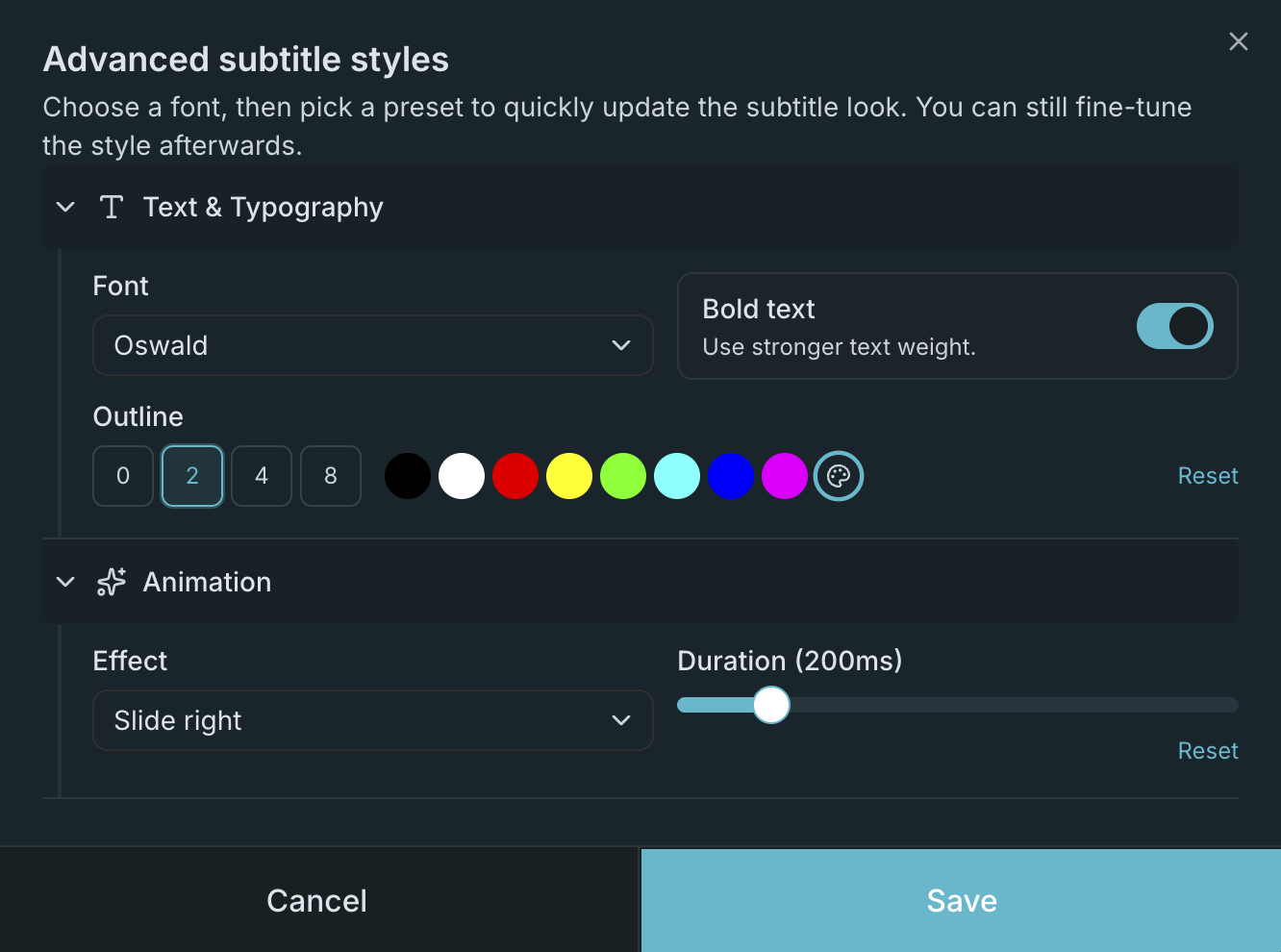
What's New
Font Selection
Choose from five carefully selected fonts:
- Roboto — Clean and modern, great for readability
- Montserrat — Geometric and bold, perfect for contemporary content
- Oswald — Condensed and impactful, ideal for social media
- Lato — Warm and balanced, works well for long-form content
- Open Sans — Neutral and friendly, a versatile all-rounder
All fonts are rendered consistently across preview and export, with per-font scaling adjustments to ensure identical sizing.
Outline Width & Color
Subtitles need to be legible against any background. You can now control both the thickness and color of the text outline:
- Width presets — Choose from 0px (no outline), 2px, 4px, or 8px
- Custom outline color — Pick any color using the color picker or choose from common presets (black, white, red, yellow, green, cyan, blue, magenta)
The outline renders correctly everywhere — in the browser preview, in canvas-based browser export, and in libass/ffmpeg server-side export.
Animation Effects
Make your subtitles more dynamic with entry and exit animations:
| Effect | Entry | Exit |
|---|---|---|
| Fade | Fade in | Fade out |
| Slide up | Slides up from below | Slides up further and fades out |
| Slide down | Slides down from above | Slides down further and fades out |
| Slide left | Slides in from right | Slides out to left and fades out |
| Slide right | Slides in from left | Slides out to right and fades out |
| Pop | Scales in from 80% | Scales out to 80% and fades out |
Each animation has an adjustable duration (100–800ms), so you can make the effect subtle or dramatic.
Get Started
Open the editor, upload a video, and click the Advanced button in the subtitle settings panel to explore all the new controls.